
 Deutsch
 English
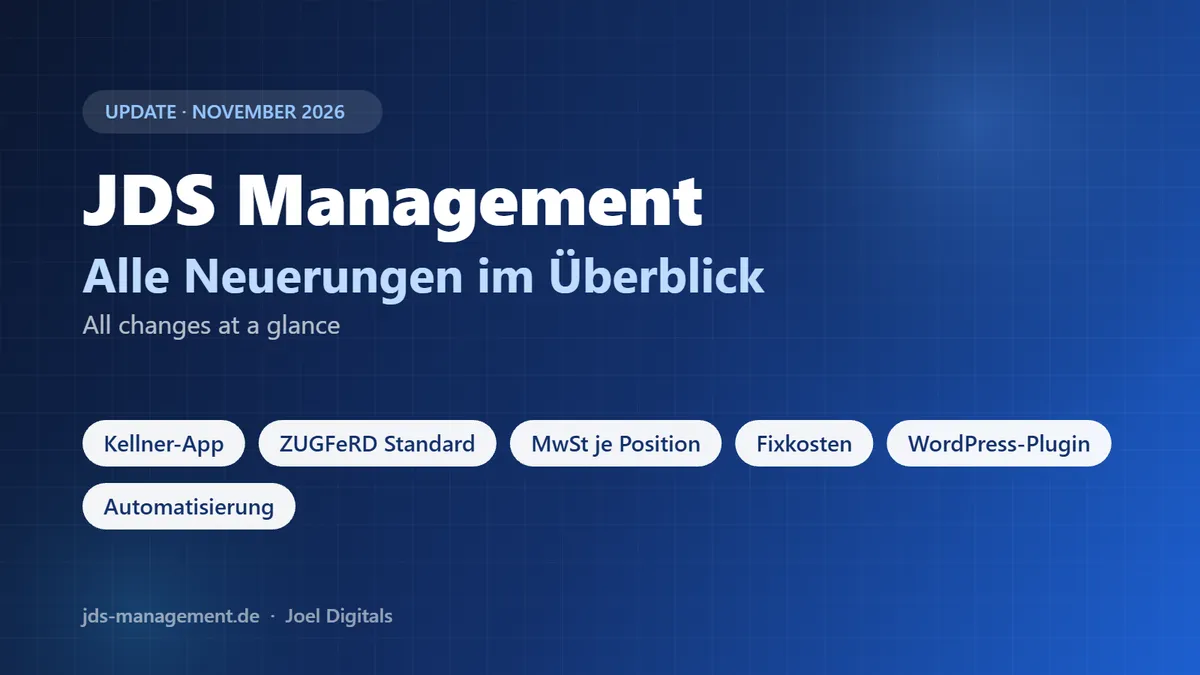
The new JDS Management update is one of the most extensive of the year: around 60 files were reworked and more than 1,900 lines of code were added. In this article you will find every change in detail – sorted into new features, improvements and bug fixes.
Contents
- New: Waiter app for restaurants
- New: One dashboard for Hotel, Restaurant and Hotel + Restaurant
- New: Dismissals and team removal in the hotel/restaurant role management
- E-invoicing: ZUGFeRD is the default
- VAT per invoice line item
- Tax rate for income and expenses & more accurate tax calculation
- Subscriptions: new detection and "Fixed costs" tab
- WordPress integration & "JDS Management Sync" plugin
- Workflow and invoice automation
- Images are stored directly on the server
- Customer portal, clubs, login & design
- Homepage, comparison table & rollout
- All bug fixes at a glance
1. New: The waiter app for restaurants
Service staff get their own lean full-screen interface for their phone. It runs without the full software navigation and is designed for fast work at the table.
Tables
- Overview of all your own and free tables.
- Dishes that are ready in the kitchen appear at the top as "Ready – please serve".
- Waiters only see and edit their own orders (or tables without a waiter). Managers and owners see all tables.
Ordering at the table
- Menu sorted by category and course.
- Tap once = add 1×, long press = choose a quantity and add a kitchen note (e.g. "no onions").
- New items are automatically placed in the right course – the course of the still open items or the next course after the last one sent.
- "Send to kitchen" sends the order, "Served" checks dishes off.
- The order status is derived automatically from the items: something ready → "ready", something in the kitchen → "in the kitchen", otherwise "open". After serving, the table stays open until it is checked out.
Automatic sync
- The app syncs with the kitchen and colleagues every 10 seconds.
- On the table page only the order status, the send bar and the table total are updated – the menu stays in place, nothing jumps.
- Syncing pauses automatically when the tab is in the background, the quantity dialog is open or you are typing.
- If a colleague has taken over the table or the session has expired, the app switches cleanly to the right page.
Check out at the table
- Payment by cash or card, including tip and change calculation.
- A receipt is created and shown, the order is marked as paid, the table is set to "cleaning" and the revenue is booked automatically.
- The POS and the waiter app now use the same checkout logic – results are identical.
- "Table free" releases the table again after cleaning.
Push notifications
- As soon as the kitchen marks a dish as ready, the waiter immediately gets a push notification, e.g. "Table 5: Schnitzel ready".
- Push can be switched on/off and tested in the profile.
Working time
- Clock in and out and start/end breaks right in the app – with the same logic as the time tracking.
- Shows monthly hours and shifts for the next 14 days.
- Download released payslips as PDF.
- During a break you stay in the app instead of being redirected to the break page of the main software.
Profile
- View your own data, submit a sick note, manage notifications.
- Choose the design (light/dark) and the start view.
- Sign out directly from the app.
Separate "JDS Kellner" app
- The waiter app is available as a separate app "JDS Kellner" with its own login – including two-factor confirmation.
- Its own push registration that does not affect the notifications of the main app.
- Waiters, bartenders and service staff who sign in to the regular management app are taken straight to the waiter app – whether via /team/, /restaurant/, /hotel/ or /hotel-restaurant/.
- Additional entry point via a card in the restaurant section of the dashboard.
- All actions run through secured forms (CSRF protection); permissions match the POS permission.
2. New: One dashboard for Hotel, Restaurant and Hotel + Restaurant
- Hotel, restaurant and combined businesses now use the same dashboard as all other teams – with the same page header, the same cards and the same light/dark design. The previous separate dashboard pages and redirects are gone.
- Under /hotel/, /restaurant/ and /hotel-restaurant/ the dashboard is automatically focused on that area. If the address does not match the booked edition, you are taken back to the full dashboard.
- New "Hotel" and "Restaurant" sections with role-based cards: rooms, bookings, calendar, housekeeping, statistics, booking widget or POS, menu, kitchen, reservations, statistics. Every role only sees the cards it has permissions for.
- After that only the relevant areas follow: working time, staff (incl. working time overview), finances (income, expenses, taxes), tasks (with hotel only) and team & administration.
- Areas that make no sense for hotels/restaurants are hidden: customers, inventory, vehicles, visitors, rooms, meetings, certificates and IT.
- The team owner always has full permissions in hotel and restaurant – even in combined businesses with an additional restaurant role.
- The restaurant role management is now available at /restaurant/roles/ and is titled "Role management – Restaurant".
3. New: Dismissals and team removal
The role management for hotel and restaurant has been extended significantly. Team admins can now:
- Give employees ordinary (with notice) or extraordinary (without notice) dismissal – via a dedicated dialog with date, optional reason and the option "alternatively ordinary at the next possible date".
- Notes on the legal requirements (written form under § 623 BGB, important reason and 2-week deadline under § 626 BGB) are shown directly.
- The dismissal is created as a PDF and sent automatically by email and push.
- New "Already dismissed" list with type, issue and end date, PDF download and "Resend email".
- Remove employees from the team with one click (incl. their hotel/restaurant roles).
- Safeguards: nobody can dismiss or remove themselves or the team owner; duplicate dismissals on the same day are prevented.
- "Remove role" got its own, clearer icon.
4. E-invoicing: ZUGFeRD is now the default
- Every invoice PDF automatically contains the embedded ZUGFeRD XML (EN 16931 profile) – on export, when sending by email, via the public link and in the customer portal.
- The former switch in the team features is gone; ZUGFeRD is enabled for all teams.
- The export dialog always offers "Invoice (ZUGFeRD)" and "XRechnung (XML)" – as does the invoice list in the customer portal.
- If mandatory details are missing (e.g. VAT ID or tax number), you get a notice and automatically receive the regular PDF.
- Delivery notes and previews remain regular PDFs.
5. VAT per invoice line item
- Invoices now calculate VAT per line item using the tax rate of each product: 19 %, 7 % or 0 %. Previously a flat 19 % applied.
- The invoice PDF shows a separate line for each tax rate (e.g. "plus 7 % VAT" and "plus 19 % VAT").
- The XRechnung contains a separate tax block per rate (TaxSubtotal) and the tax rate on every line item.
- The ZUGFeRD XML also breaks down tax per rate – XML and PDF always match.
- Travel costs without a product use the standard rate of 19 %.
- Small businesses (§ 19 UStG) stay at 0 % with an exemption note as before.
6. Tax rate for income and expenses
- A tax rate can now be selected for every income and expense entry: 19 %, 7 % or 0 %.
- The tax calculation now shows "VAT" and "input tax" based on the recorded tax rates instead of a flat 19 %.
- The advance VAT return calculates its boxes the same way: income and expenses with their rate, paid invoices with the rates of their line items.
- Deadlines still follow § 18 UStG, incl. permanent deadline extension. All values remain marked as estimates.
7. Subscriptions: new detection and "Fixed costs" tab
- Subscriptions are now detected per line item (provider + line item + quantity + amount). This allows several subscriptions with the same provider side by side.
- Month names and billing periods in invoice line items (e.g. "1 Jul – 27 Aug") are ignored when matching, so the same subscription is recognised every month.
- Amounts within ±10 % (at least €1) count as the same.
- Duplicate, automatically detected subscriptions are merged automatically.
- Line item and quantity can also be entered and edited manually.
- New "Fixed costs" tab: all subscriptions with monthly and yearly cost plus a total.
- Deleted, automatically detected subscriptions only reappear with a new payment.
- A detected monthly rhythm is no longer accidentally reset to "irregular", and older payments never overwrite the latest known payment.
- Subscriptions are only considered ended after a grace period (at least 14 days) – confirmed subscriptions never automatically.
8. WordPress integration & "JDS Management Sync" plugin
- New WordPress plugin "JDS Management Sync", configured under Settings → JDS Management Sync (URL, team code, token).
- New connection test that checks authentication and returns the team name/code without creating any data.
- Contact forms from Contact Form 7 and WPForms create leads. If the same person submits again, the existing open lead is updated instead of duplicated.
- WooCommerce orders are booked as income – only once per order number, even if the webhook arrives several times. Order date and tax rate (0/7/19 %) are taken over.
- New WordPress users can be transferred as well.
9. Workflow and invoice automation
- Due callbacks: reminder via push and email to the responsible employee.
- Follow-up for leads without activity for 14 days – once, including a note on the lead.
- Follow-up after appointments of the last 7 days – also once.
- The automations run reliably as part of the regular background job.
- Dunning now runs correctly through all reminder levels (previously it often stopped at the 1st reminder).
- Invoices without an email contact are skipped and no longer wrongly marked as "reminded" – once an email is added, the reminder is sent.
10. Images are stored directly on the server
- Room images (hotel) and dish photos (restaurant) are no longer stored with an external image service but directly on our server.
- Dishes get a real image upload with status display; alternatively an image URL can still be entered.
- Allowed are JPG, PNG, WEBP and GIF up to 12 MB. File extensions are derived from the image type – unsafe files cannot be uploaded.
- Also works without JavaScript via a fallback when saving.
11. Customer portal, clubs, login & design
- The customer portal is active for all teams, uploads are allowed by default. The switches were removed from the team features; detailed settings (welcome/follow-up email, uploads) remain in the customer portal settings.
- Clubs no longer see the "Team page not set up yet" banner, and team features are neither linked nor shown in the tutorial for clubs.
- In the online documents for clubs, the version list is now easy to read in dark mode too.
- Login: "Stay signed in" is now a clearly visible row right above the sign-in button. If you are still signed in, opening the login page takes you straight to the dashboard.
- Hotel and restaurant pages use a new central edition design so all pages look consistent.
12. Homepage, comparison table & rollout
- The comparison table shows new rows: waiter app, XRechnung, receive & check e-invoices, read receipts with AI, GiroCode, tax rates per line item, advance VAT return, subscriptions & fixed costs, PayPal/Stripe check, automatic dunning, WordPress plugin, custom roles, customer portal notifications, support tickets, club invitation reminders and public shipment tracking.
- New feature tiles: "Complete e-invoicing", "Taxes & fixed costs at a glance", "GiroCode on invoices", "Custom roles & permissions" and "Waiter app".
- "Task management" is no longer listed for the restaurant-only edition (it works with kitchen and receipts).
- New features are rolled out step by step ("Improvements"). Settings that are already saved are kept.
13. All bug fixes at a glance
- Automatic dunning was lost without a background worker and got stuck at level 1 – fixed.
- Invoices without an email were marked as reminded – fixed.
- Team owners were missing hotel functions in the Hotel + Restaurant dashboard when they also had a restaurant role – fixed.
- The restaurant role management pointed to a hotel address – fixed.
- Image URLs with local paths were rejected as invalid for dishes – fixed.
- Subscriptions: several subscriptions of one provider were merged, month names prevented recognition, rhythm and last payment were sometimes overwritten – fixed.
- WordPress: duplicate leads from repeated forms and duplicate income from repeated WooCommerce webhooks – fixed.
- The waiter app was redirected to the main software's break page during breaks – fixed.
- Saved team settings could be disabled unintentionally on save when fields were hidden – fixed.
- Readability of the version list in dark mode (club documents) – fixed.
- Removed an outdated, duplicate template for hotel categories.
Enjoy the update! Questions or feedback? Get in touch anytime – and try the new features right away at jds-management.de.
Read next
Comments
Log in to write a comment.
No comments yet. Be the first!