
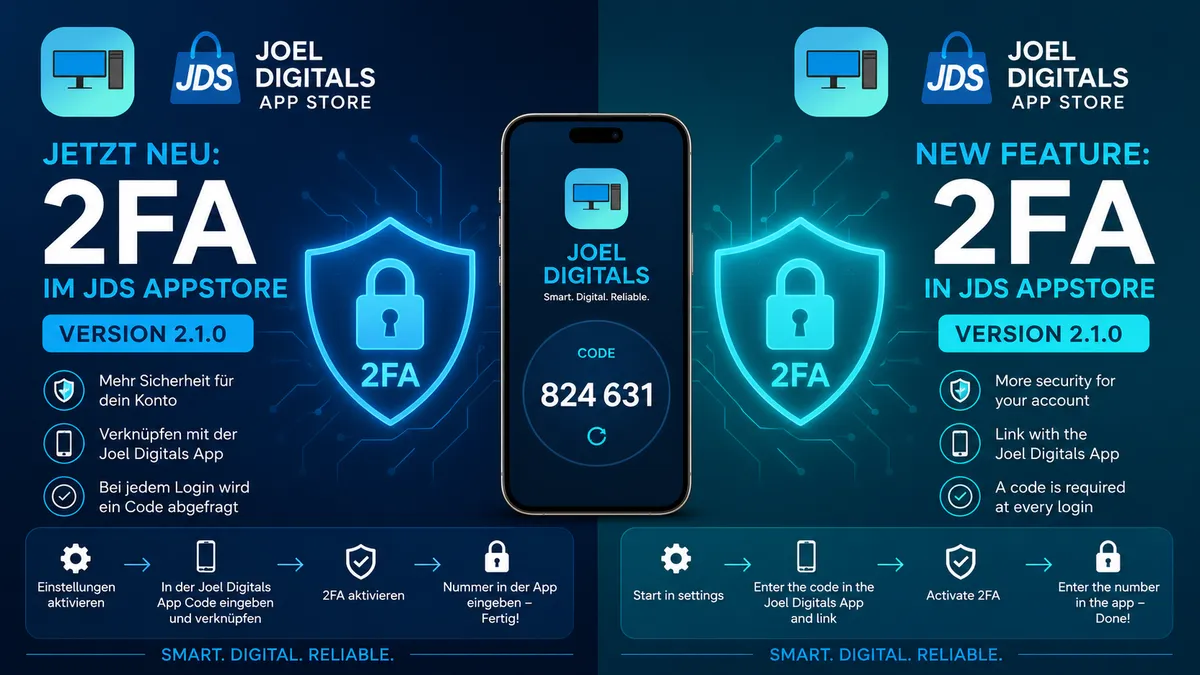
More security for your account: With JDS AppStore version 2.1.0, Two-Factor Authentication (2FA) is now available.
🔐 More security for your JDS AppStore account
Security is a top priority for digital services. That is why we are introducing Two-Factor Authentication (2FA) with JDS AppStore version 2.1.0.
The new feature allows you to protect your JDS AppStore account with an additional security layer using the new Joel Digitals App.
After activation, your password will no longer be the only requirement when logging in. A second security code will be requested for every login.
🔐 How to activate 2FA
Setting up 2FA only takes a few steps:
1. Open Settings
Open Settings in the JDS AppStore and start the Two-Factor Authentication setup.
2. Open the Joel Digitals App
Use the new Joel Digitals App, now officially available.
3. Link your account
Enter the code displayed in the JDS AppStore into the Joel Digitals App and link your account.
4. Activate 2FA
Complete the setup in the Joel Digitals App and activate Two-Factor Authentication.
5. Enter the confirmation number
The JDS AppStore will then display a number. Enter this number into the Joel Digitals App to confirm the setup.
6. Done! ✅
Your account is now additionally protected.
📱 Logging in with 2FA
Once 2FA is enabled, every JDS AppStore login will require an additional security code alongside your password.
The code is provided through the Joel Digitals App.
This means that even if someone knows your password, they still need the additional authentication code to access your account.
Password + 2FA code = an additional layer of account security. 🔐
🚀 JDS AppStore Version 2.1.0
The new 2FA functionality is part of JDS AppStore version 2.1.0.
With this update, we are making the JDS AppStore more secure while continuing to expand the connection between the JDS AppStore and the new Joel Digitals app ecosystem.
The new Joel Digitals App acts as the central application for additional authentication.
🔒 Security without unnecessary complexity
Our goal is to provide stronger security without making the experience unnecessarily complicated.
Setup only takes a few steps, and once enabled, an additional security code will automatically be required whenever you log in.
JDS AppStore 2.1.0 – more secure. more modern. better connected.
Read next



Comments
Log in to write a comment.
No comments yet. Be the first!